Use arrow keys to navigate through slides. Press Space or Enter to pause autoplay.
Powerful VPS Servers
Full control, flexible configuration, and high-performance environment for your projects
VPS plans
Lag-free Minecraft Hosting
Play with friends on your own server - high stability, complete freedom of settings.
Minecraft plans
Dedicated Servers
Rent a full-fledged server - maximum resources, no compromises or limitations.
Dedicated plans
Reliable Web Hosting
Launch your website in minutes - fast, stable, with 24/7 support
Web Hosting plans
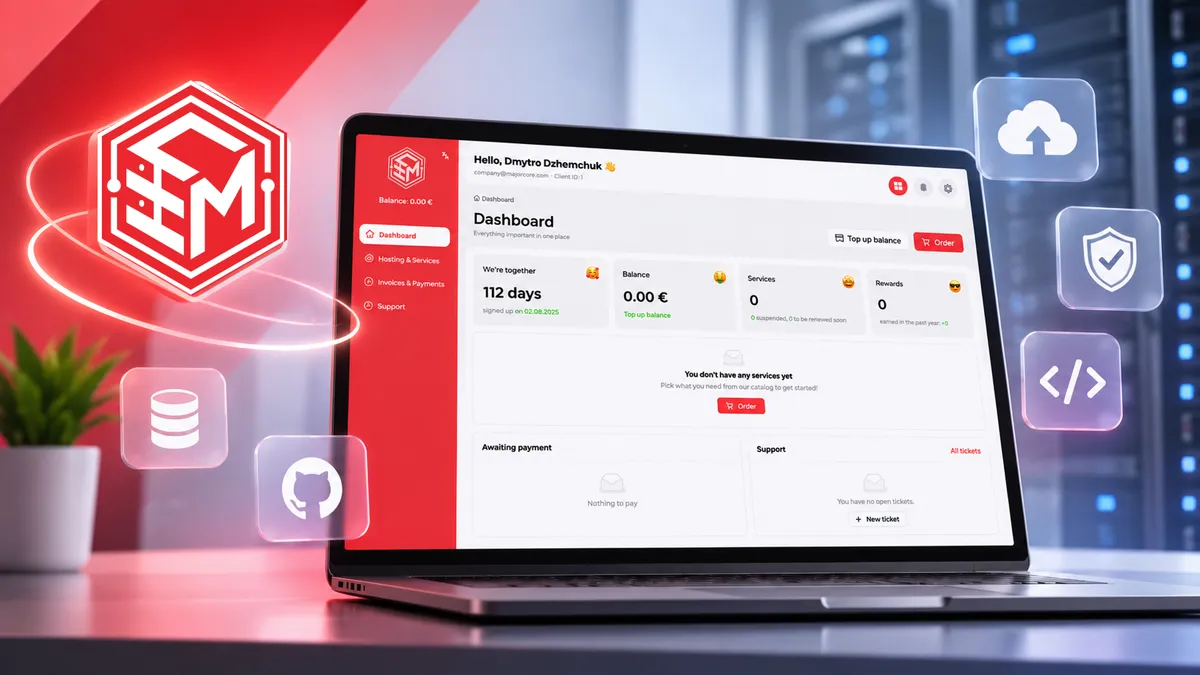
Meet Nexus, MajorCore's new control panel
67
Related news




Today we're switching on Nexus, the control panel we built from scratch for MajorCore. Your services, payments and support tickets have already moved in.
Why we built it
For years our old billing panel did its job, but it was never ours. It looked dated, it was slow, and every small improvement you asked for meant waiting on someone else. So we decided to build our own, around how you actually use MajorCore.
Nexus is the result of many months of work by our own team. We designed every screen, wrote every line, and tested it again and again on real services before inviting you in. It speaks Ukrainian, English and Russian, it works just as well on your phone, and it was built to grow with you.
Moving in mattered as much as building. Every service, invoice, payment and support ticket since 2020 came with you, history included, so nothing starts from zero.
What changed
The short version: everything you did in the old panel is still here, and most of it now takes fewer clicks.
| Task | Old panel | Nexus |
|---|---|---|
| Signing in | Password | Password, passkey, or Google, GitHub, Apple or Discord |
| Opening your server's panel | A separate login | One click from the service page |
| Finding logins and passwords | Emails and notes | On the service page, shown when you ask, copied in a click |
| Paying | Card | Card (saved for next time), crypto, or your balance, with a receipt for every payment |
| Getting help | Tickets | Tickets linked to your service, with screenshots and videos up to 25 MB |
| Notifications | Email or Telegram (upcoming), to you and anyone you add | |
| Account security | Two-factor, allowed IPs | Also passkeys and a list of active sessions you can end |
| Your preferences | Language | Language, time zone, date and time format, currency |
What we're proudest of
Everything about a service, on one page. Status, renewal date, price, addresses, logins and invoices sit together. Open your game server's, VPS's or hosting panel with one click, no second password needed.
A dashboard that tells you what needs attention. Services about to expire, unpaid invoices and open tickets are the first thing you see.
Renewals that just work. Pick a term once and Nexus renews from your balance, with reminders before anything is due. Need to renew several services? Put them in the cart and pay once.
Support that knows the context. Start a ticket right from the service it's about, attach screenshots or a short video, and follow the whole conversation in one place.
Security without the hassle. Sign in with a passkey or your Google, GitHub, Apple or Discord account. See every device that's signed in, and sign out the ones you don't recognise.
Made for teams. Send notifications to colleagues by email or Telegram (upcoming), so the right person hears about a renewal or a reply.
Getting started
Your account is already in Nexus, with the same email address. Passwords didn't move over, so your first sign-in takes a minute:
- Go to majorcore.com/nexus and choose Reset password.
- Enter your email and set a new password from the link we send you.
- If you used two-factor authentication or allowed sign-ins only from certain IP addresses, turn them on again in Settings – Security.
The old panel's address now leads to Nexus, so old bookmarks still work. Your services keep running throughout, and nothing about them changes.
Thank you
Many of you have been with us for years, and Nexus was built with you in mind. We hope it feels like home from the first click.
This is only the beginning. We'll keep improving Nexus, and the best ideas will come from you. If something feels off or you're missing a feature, open a ticket in Nexus and tell us. We read every one.


